heratoto Mobile App
Our heratoto mobile app brings slots, live-dealer tables, and sportsbook markets to your phone. We support Android via APK download and iOS via browser access, ensuring you can join tournaments and place wagers from anywhere, anytime. Mobile-first design means faster load times and offline caching for smoother gameplay during Liga 1, Piala AFF, and daily slot events.

- Update
- DownloadAPK
- StartFirst Game
- Installin
Mobile access on heratoto is designed for users in supported jurisdictions. The app operates under the same account system as our web platform—your login credentials, KYC verification status, and account balance sync across all devices. We use the same data encryption and security protocols on mobile as we do on desktop.
Accessing heratoto via mobile means you can manage deposits (e-wallet, mobile banking, local payment, online payment, e-wallet, mobile banking, local payment, online payment, e-wallet, mobile banking), view game information, and withdraw to your preferred payment method without waiting for a computer. Our support team handles mobile-specific issues during standard business hours (Monday–Friday, 09:00–17:00 Jakarta time).
Installation paths for heratoto on mobile
We offer three main ways to access heratoto on mobile devices: Android APK direct download, iOS Safari browser, and our mobile web app. Each path requires you to verify your identity before your first withdrawal, but all three connect to the same account. Choose the method that best suits your device and preference.
How to install heratoto on Android
To install heratoto on Android, download the APK file from our website and enable installation from unknown sources in your device security settings. Open the downloaded file and follow the on-screen prompts to complete installation. Once installed, open the heratoto app, enter your username and password, and begin using the platform. The Android version of heratoto includes push notifications for tournament starts and withdrawal confirmations.
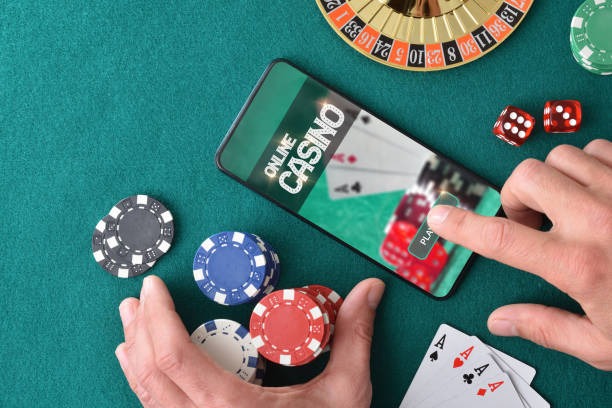
iOS and mobile browser access on heratoto
If you use an iPhone or iPad, open Safari and navigate to heratoto.app. Sign in with your username and password. We recommend bookmarking the page for quick future access. The mobile browser version of heratoto is fully responsive and supports all features available on Android: slots (Aviator, Sweet Bonanza, Gates of Olympus, Fortune Tiger, Mahjong Ways), live-dealer tables, and sportsbook markets (Liga 1, Piala AFF, Champions League, badminton, esports). You can use the same approach from any Android device or Windows phone if you prefer not to install the APK.
App vs browser: key differences on heratoto
The heratoto Android app offers several advantages over browser access: offline caching allows you to view your account balance and recent transactions without internet briefly; push notifications alert you to tournament starts, live-dealer seat availability, and withdrawal confirmations; and the app uses less bandwidth than the browser, making it faster on slower connections. The browser version of heratoto, however, requires no installation, works on all devices without region restrictions, and updates automatically without manual intervention. Both paths connect to the same account and offer identical gameplay.
Device compatibility for heratoto mobile
The heratoto Android app requires Android 7.0 or higher. iOS users access heratoto via Safari on iOS 12 or higher (iPhone 5s and later). For older devices, use the mobile browser version of heratoto. All methods support e-wallet, mobile banking, local payment, online payment, e-wallet, mobile banking, and direct bank transfers (local payment, online payment, e-wallet, mobile banking). We do not support Windows Phone or other legacy operating systems.
Troubleshooting heratoto installation issues
If the heratoto APK file fails to install on Android, first verify that "Unknown Sources" (or "Install Unknown Apps") is enabled in your security settings. Go to Settings → Security and check the option. If installation still fails, clear your browser's cache and download the file again. If you receive a certificate error, this is normal for APK installations; tap "Install anyway" to proceed. If the app crashes on launch, restart your device and ensure you have at least 100 MB of free storage. Contact our support team if issues persist; we respond Monday–Friday, 09:00–17:00 Jakarta time.

Data permissions and account security on heratoto
The heratoto app requests permission to access your device's notification system, camera (for KYC document upload), storage (for APK updates), and internet connection. We do not request access to contacts, SMS, or location data. All communication between your device and heratoto servers uses HTTPS/TLS 1.3 encryption. Your username, password, and KYC documents are never stored on your device—only your session token, which is unique and changes each time you log in. If you lose your device, log in to your heratoto account from another device and change your password immediately. Our support team can help disable access from a lost device.
Mobile app security best practices
- Never share your heratoto password with anyone, including support staff
- Use a strong password combining uppercase, lowercase, numbers, and symbols
- Enable two-factor authentication in your account settings after login
- Keep your device operating system updated
- Log out after every session if using a shared device
Deposits and withdrawals via heratoto mobile
Deposit and withdrawal flows on heratoto mobile are identical to the web version. From your account dashboard, tap "Deposit" to fund your account via local payment, online payment, e-wallet, mobile banking, local payment, online payment, or direct bank transfer (e-wallet, Mandini, mobile banking, local payment). Minimum deposits are typically our welcome offer–100,000. To withdraw, tap "Withdraw," select your destination payment method, and enter the amount. Before your first withdrawal, complete KYC verification by submitting a photo of your national ID or passport. Our verification team reviews documents within one business day. Once verified, withdrawals process to your selected payment method (mobile wallets typically arrive within subject to verification; bank transfers settle within one business day).
Slot tournaments and live markets on heratoto mobile
All heratoto slot tournaments (Aviator, Sweet Bonanza, Gates of Olympus, Fortune Tiger, Mahjong Ways) run daily and weekly with live leaderboards visible on mobile. Your tournament score updates in real time. Access sportsbook markets on Liga 1, Piala AFF, Champions League, Premier League, badminton, esports (Mobile Legends, Free Fire, PUBG Mobile), and MotoGP directly from your mobile app or browser. Live-dealer tables (blackjack, roulette, baccarat, Dragon Tiger) with multi-camera studios are fully playable on mobile; video quality adapts to your connection speed.
Closing remarks on heratoto mobile
The heratoto mobile app and browser interface provide full access to our sportsbook, slot tournaments, and live-dealer tables. Download the Android APK or use Safari on iOS to get started. All heratoto services are available only where local law permits—verify compliance in your jurisdiction before creating an account. If you encounter technical issues or have questions about installation, contact our support team Monday–Friday, 09:00–17:00 Jakarta time.